Reconciling Daily Collections
After the nightly processing window, you can verify which payments were successful and download the final results for your accounting.
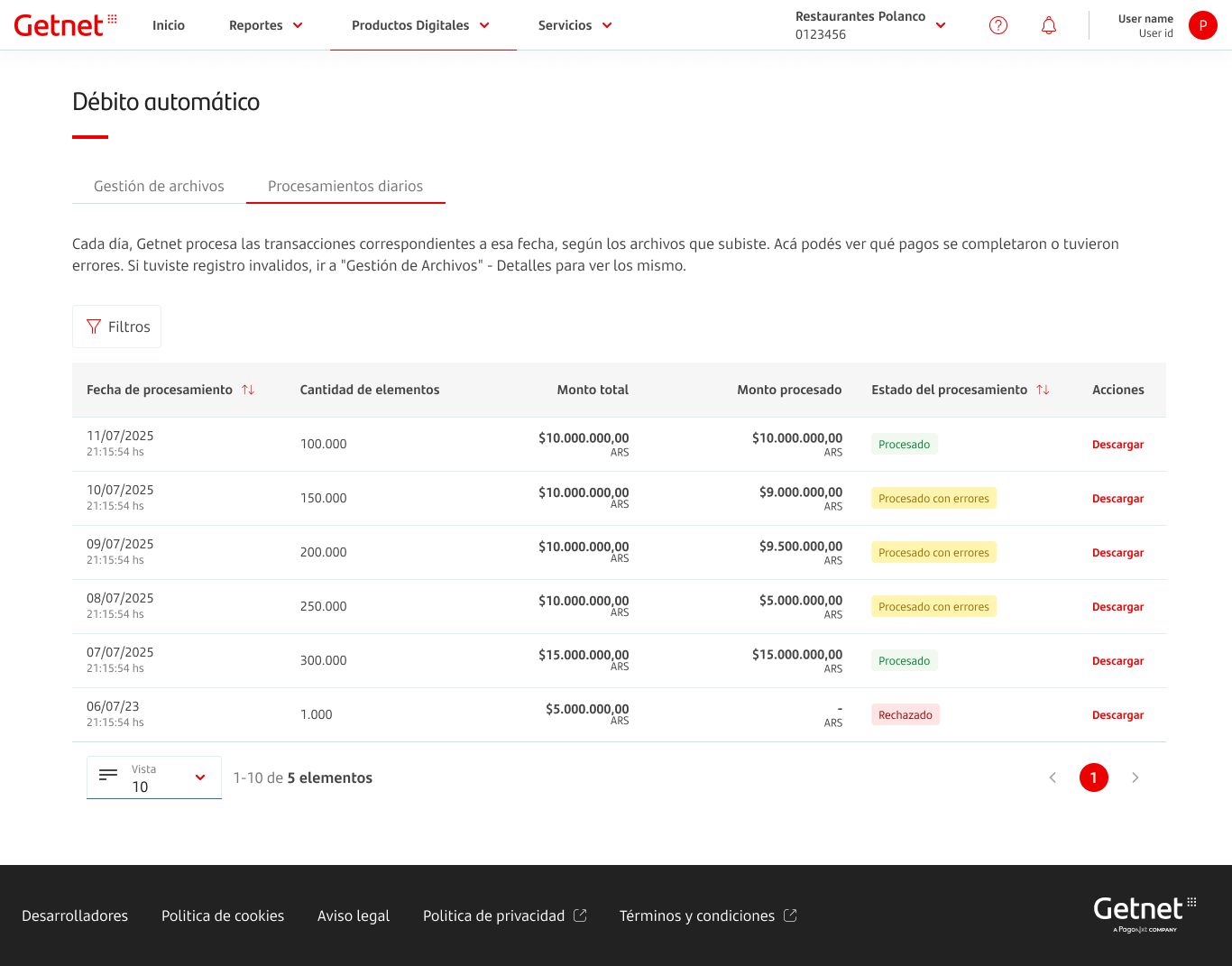
Checking the Daily Processing Tab
The Procesamientos diarios tab gives you a single view of all activity for a given date, no matter how many files were submitted.
- Open the Procesamientos diarios tab in the Automatic Debit module.
- Find the row for the Fecha de procesamiento you need.
- Check Monto procesado vs. Monto total to see the success rate.
- Click Descargar in the actions column to get the Output File.
The Output File
The Output File is your main source of truth for reconciliation. It includes all records you originally submitted, updated with their final outcome: approved transactions (successfully charged), rejected transactions (declined by the bank or card brand), and invalid records (those that failed initial validation).
Ideally, the output file should be described first, followed by the daily processing file. In terms of information, both are similar; however, the daily processing file does not include invalid records. Regarding transaction grouping, the daily processing file consolidates transactions by processing date, while the output file provides a one-to-one result in relation to the input file.
Using Transaction Reports
You can also track Automatic Debit payments with your other sales channels. Go to Reportes > Mis transacciones, open Filtros, and in Canal de pago select Débito automático. After clicking Confirmar, results show "Debito aut" as the channel so you can export CSV or Excel reports for this service only.
Next Steps
Use the related documentation below to investigate outcomes and improve subsequent processing cycles.
- If you need a field-by-field explanation of returned values, check Output File Data Dictionary before posting results into your internal ledger.
- If rejected or invalid transactions appear, go to Correcting and Deleting Files to fix source data and submit a corrected file.
- For future batches, revisit Input File Specifications to prevent recurring validation and formatting errors.
On this page
Reconciling Daily Collections